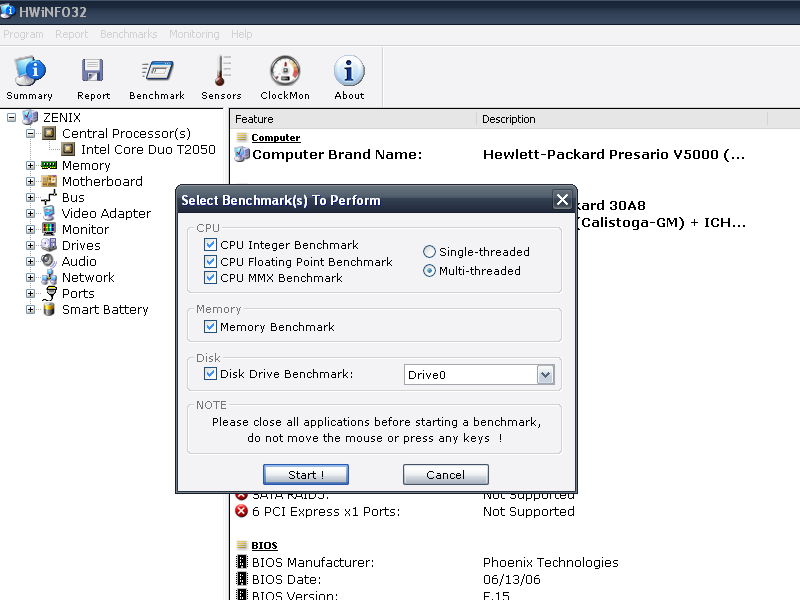
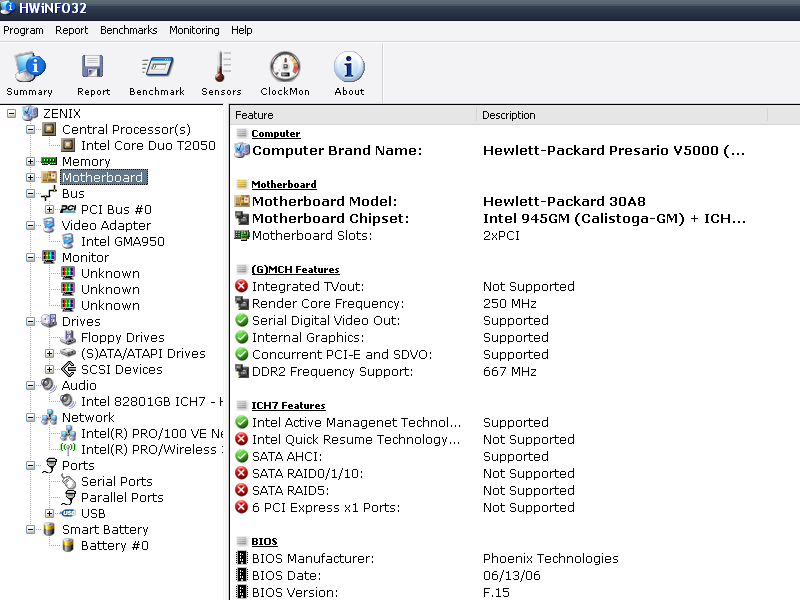
HWiNFO32 is a hardware information and diagnostic tool, which can help you recognizes and displays detailed information about all your hardware components. It organizes the components in a tree view, and make it easy for the user to read reports for each item. It can display hardware sensor information, run a benchmark test and generate a system profile
HWiNFO32 offers you :
1) Comprehensive hardware information
2) System health monitoring (Thermal, Voltage, Fan, Power)
3) Basic benchmarks
4) Text, CSV, XML, HTML, MHTML report formats
5) Periodical updates
6) OS: Windows 9x/2000/XP/Server 2003/Vista/Server 2008/Windows 7
7) Platform: 32-bit (IA-32), 64-bit (x64, IA-64)
8) Available as HWiNFO32 SDK (Custom Client) !
Download Link - Click Here
May 11, 2009
May 9, 2009
Free Screen Capture Tools
Quik tip. If you are tired of using Windows default screen caputer, try these free alternative software for capturing screenshot.
Greenshot
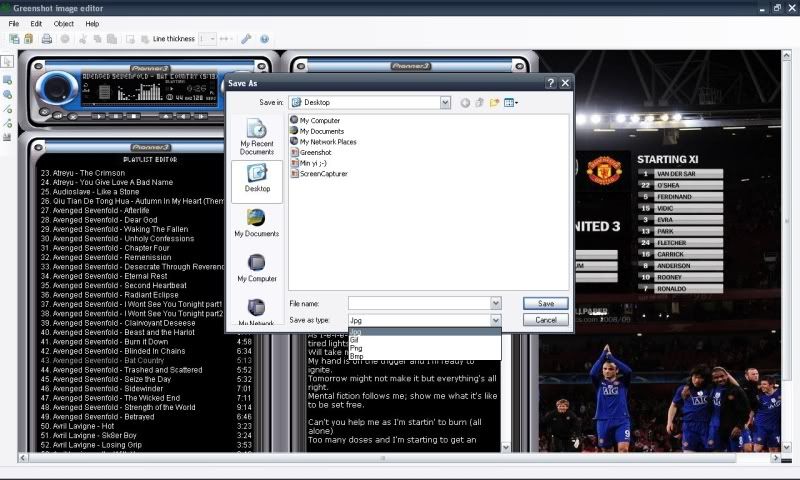
If you don’t want to pay, here are an option for you. Greenshot is a lightweight screen capture utility that doesn’t need any installation (you can bring it with you in a Flash drive). It allows you to capture screen, active window and region and then open on its editor for annotation.
Free Screen Capturer
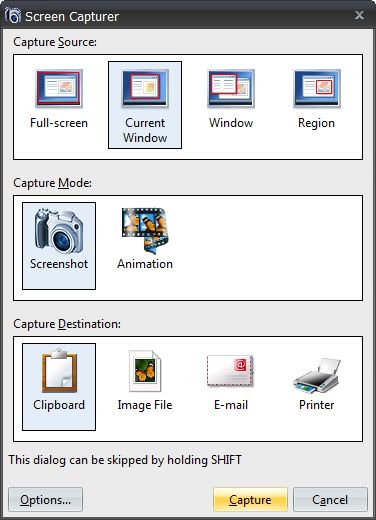
Freeware for screen capture utility. It can save the captured images to different formats (BMP, JPG, GIF, PNG, or TIFF) as well as capturing wmv animations.
Jing
A project by the creator of Snag It. This software allows you to capture images, record video and then directly share it online to your friends (it uploads the images or videos to the online repository and provides you with the URL to share to your friends). It also allows you to share the images and videos to ScreenCast, Flickr, etc!
Greenshot
If you don’t want to pay, here are an option for you. Greenshot is a lightweight screen capture utility that doesn’t need any installation (you can bring it with you in a Flash drive). It allows you to capture screen, active window and region and then open on its editor for annotation.
Free Screen Capturer
Freeware for screen capture utility. It can save the captured images to different formats (BMP, JPG, GIF, PNG, or TIFF) as well as capturing wmv animations.
Jing
A project by the creator of Snag It. This software allows you to capture images, record video and then directly share it online to your friends (it uploads the images or videos to the online repository and provides you with the URL to share to your friends). It also allows you to share the images and videos to ScreenCast, Flickr, etc!
March 19, 2009
Facebook Photo Album Downloader
If you are one of the users and have lots of friends in it, this add-on might be useful to you. It will make your day easier when you want to download your friend's photos. Just imagine how long will it take for you to download it. Yeah, it is possible to manually download individual photos from Facebook but it would surely be a time saver to download them all at once.
Facebook Photo Album Downloader is a Firefox extension that can download an entire Facebook photo album in one go. FacePAD, better known as the Facebook Photo Album Downloader will allow you to download your friends’ facebook albums en masse with the click of a button.
After installed this add-on, go to your friend's profile and right-click at his/her album. The picture below tell you the rest.
To download photos from the an album, right-click on the Facebook album and click the Download Album with FacePAD option. If you did this properly, a JavaScript pop-up will appear telling you to wait a moment while it initiates the download process. Press OK and the photos will be downloaded to Firefox’s default download directory. If their are more than one page of photos, then more than one JavaScript pop-up will appear (one for each page, where 1 page = 20 photos).
This add-on work with Firefox version 1.5 and above.
Subscribe to:
Posts (Atom)