May 9, 2009
Free Screen Capture Tools
Greenshot
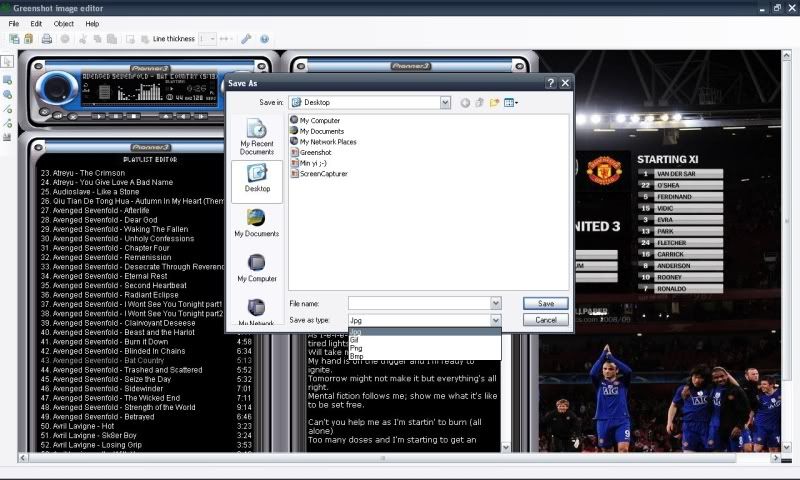
If you don’t want to pay, here are an option for you. Greenshot is a lightweight screen capture utility that doesn’t need any installation (you can bring it with you in a Flash drive). It allows you to capture screen, active window and region and then open on its editor for annotation.
Free Screen Capturer
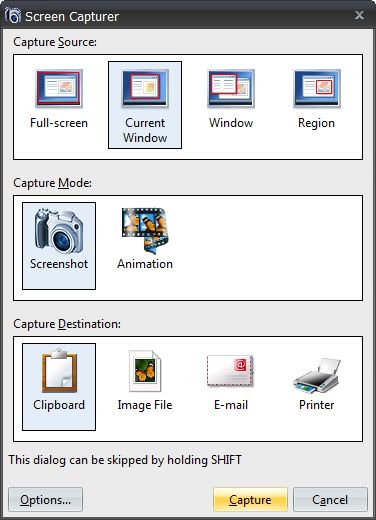
Freeware for screen capture utility. It can save the captured images to different formats (BMP, JPG, GIF, PNG, or TIFF) as well as capturing wmv animations.
Jing
A project by the creator of Snag It. This software allows you to capture images, record video and then directly share it online to your friends (it uploads the images or videos to the online repository and provides you with the URL to share to your friends). It also allows you to share the images and videos to ScreenCast, Flickr, etc!
March 15, 2009
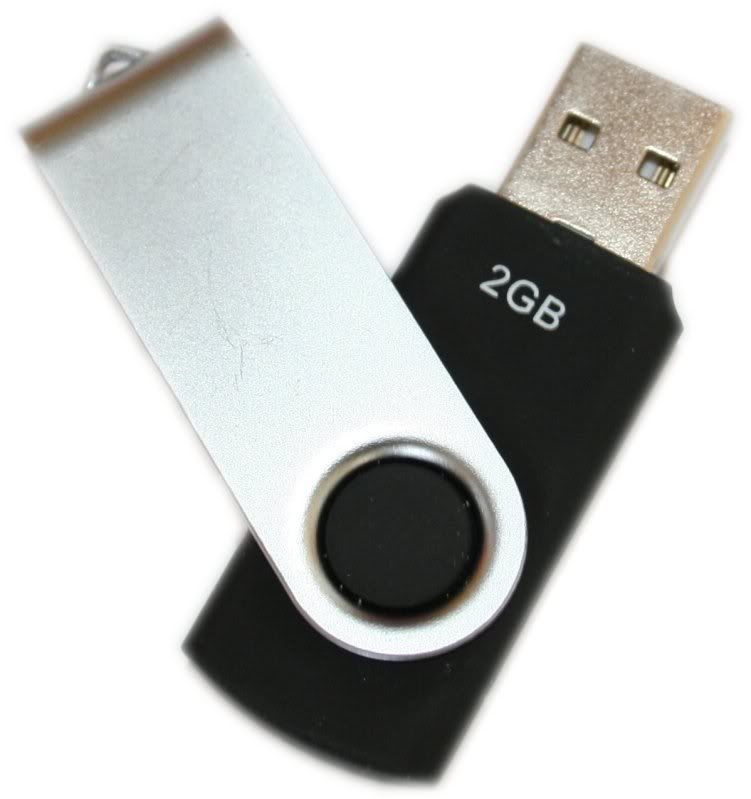
How To: Format PenDrive With NTFS File System
Well, maybe some of us ever wonder wonder how to format any pendrive with NTFS file system. As with me, i also wonder about it. So, I opened my Opera browser and search for any ways to do it. And yes, i found the way! NTFS allows you encrypting your data which is a feature that is inbuilt in Windows XP and above. It also lets you to add allow and deny permissions on individual files and folders for specific Windows users, something you can’t think of using FAT file systems.
So, lets move on to how to do it. I've insert some pictures here to help you to understand it better.
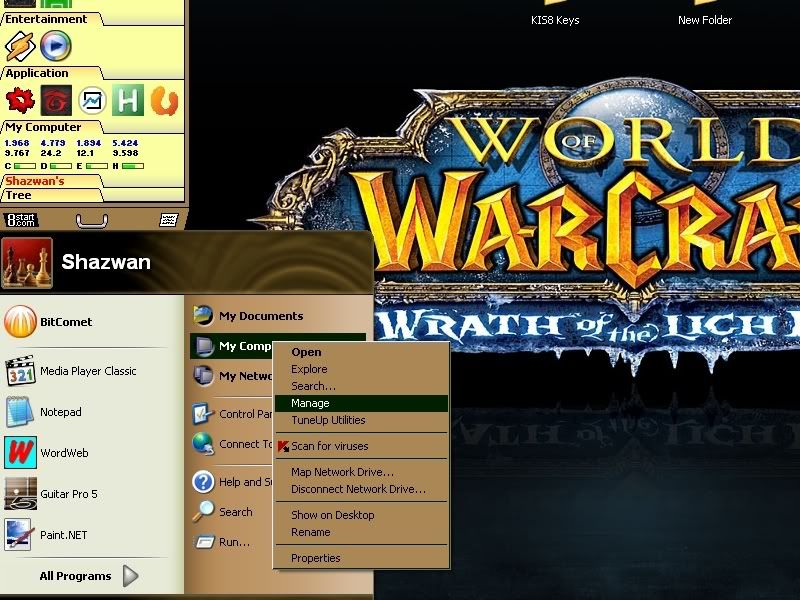
Plug in your pendrive. Then, right-click at your My Computer and choose Manage
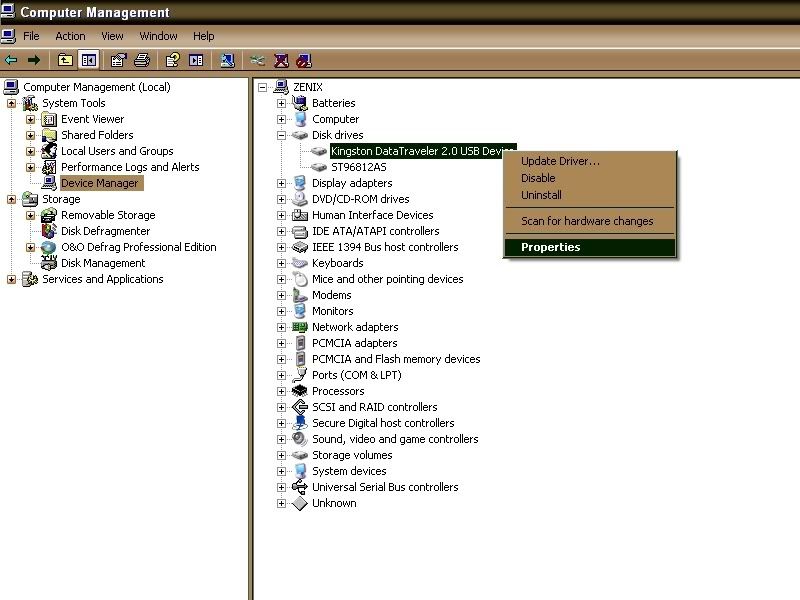
Click at Device Manager. Then select Disk Drives and select your USB pendrive.
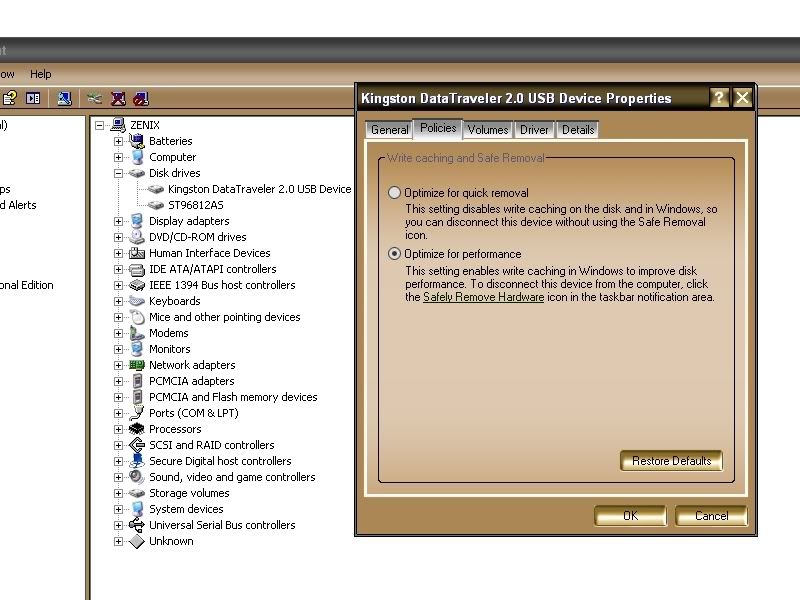
Properties for your pendrive will be open after that. Click at Policies tab and choose Optimize for Performance. Click OK after that.
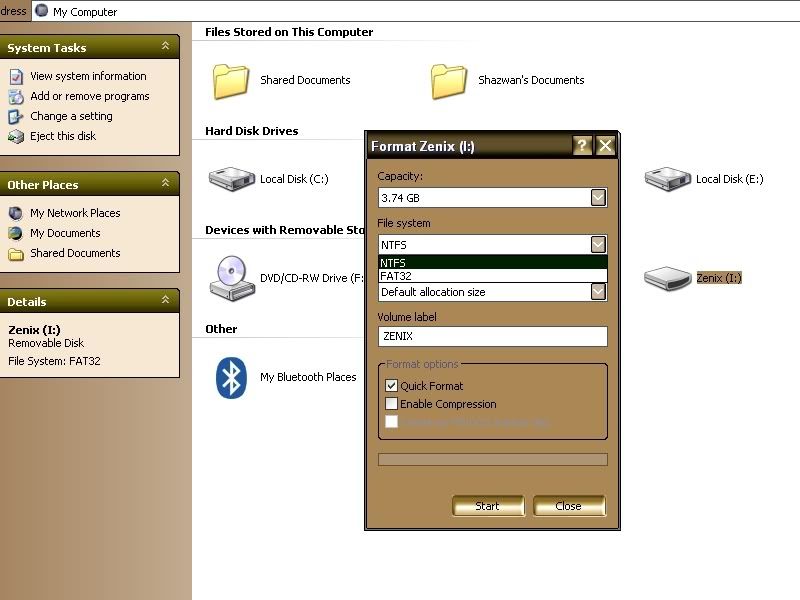
Now, go to your My Computer. Right click on your USB pendrive and try to format it. AT File System menu, drag down it and you will see the option NTFS is there!
Well done!
February 28, 2009
Google Chrome Backup
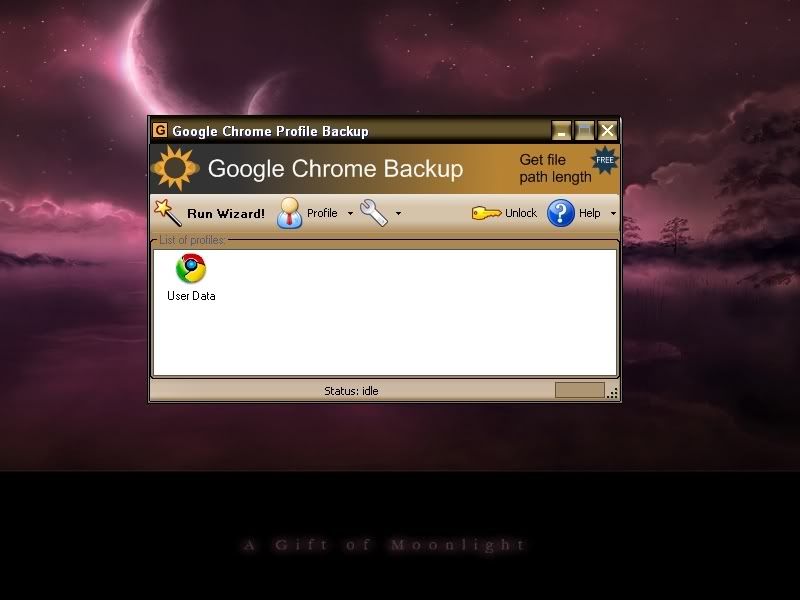
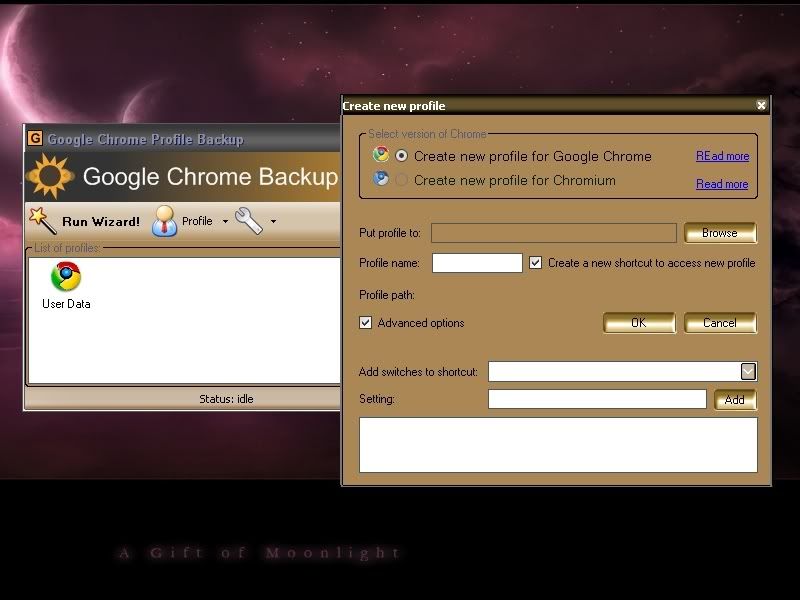
Google Chrome Backup is a nice backup tool to create backups of your Google Chrome profiles. Google Chrome Backup can backup, create, restore and delete Google Chrome profiles. A profile contains all the personal information of a user like bookmarks, the browsing history and the layout of the browser.You also can create another profile(s) for your Chrome browser. Means that it would not become a problem if you are sharing your Chrome with your family or friends.
Another features for this backup utility:
-Backup and Restore Wizard
-Chrome and Chromium support
-Select a profile
-Backup and restore profile
-Create and delete profile
-Add existing profiles to Google Chrome backup
Download: Click Here
February 22, 2009
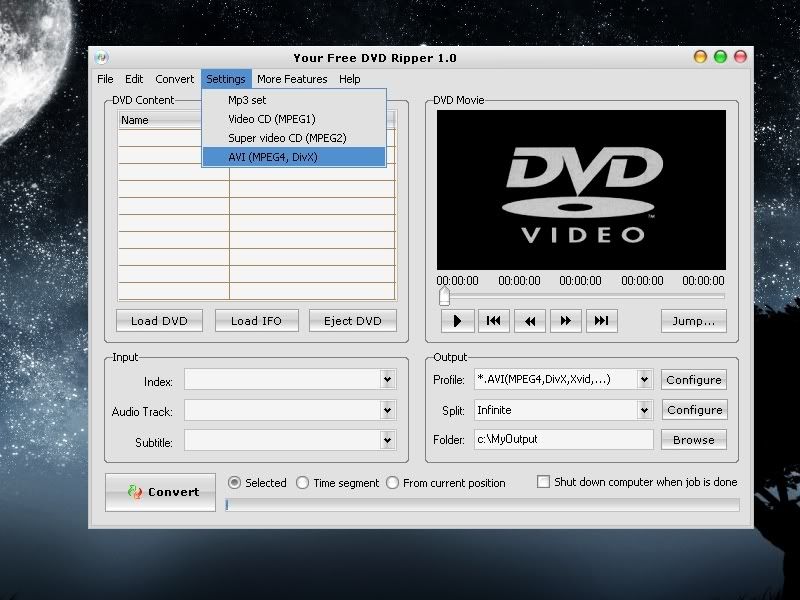
Rip Movies with Your Free DVD Ripper
Your Free DVD Ripper provides you a simple way to convert DVD movies to VCD/SVCD (MPEG1, MPEG2), AVI (DivX, MPEG4, xDiv etc.), MP3, WAV formats. The software detects your CPU type and selects the most effective algorithm. You can convert a specific time segment or chapter of DVD if you do not need to convert the whole movie. The flexible options allow to enjoy the excellent resulting quality.
Main Features:
-Rip DVD to multi formats - include VCD(MPEG-1 format), SVCD (MPEG-2 format), DivX and other standard AVI compression codecs. Plus audio formats: MP3 and WAV!
-Playback while ripping - You can know which part of the DVD movie is being ripped since it plays back while ripping.
-Support Different DVD Types - Support both NTSC and PAL.
-Optimized for your type of CPU.
-Specify different output format for each task.
-Converts entire movie.
-Converts each chapter to an individual file.
-Convert any part of a chapter or movie.
-Remove unwanted subtitles and audio tracks.
-Excellent Quality - Achieve smaller files without any loss of quality.
February 19, 2009
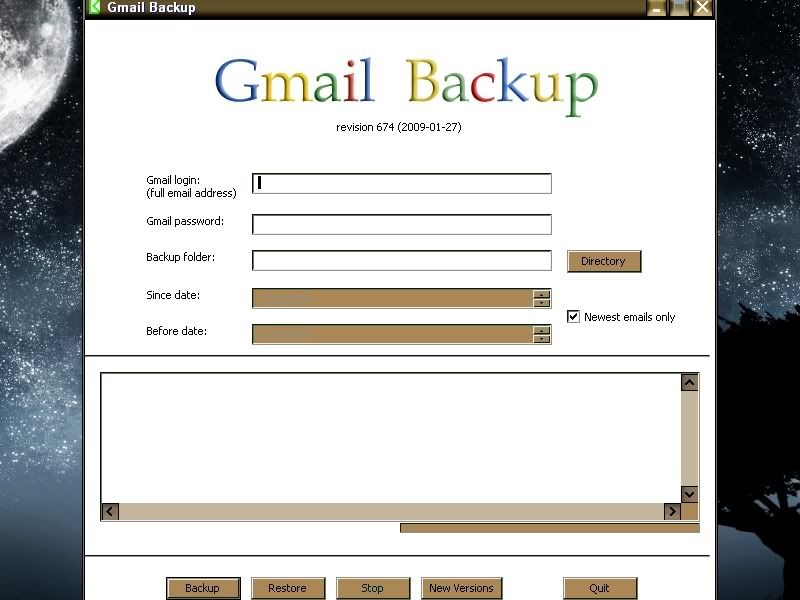
Backup Your Gmail Account
It's been a five years since i registered and using my Gmail account.But only now I knew how to backup those bunch of email in my account. Choose where you want to put your backup emails.
Click on the backup button.
You can view your messages by double click on it and it will open in Outlook Express.
Download: GMail Backup
February 12, 2009
Download Flickr Photos with Flickr Original
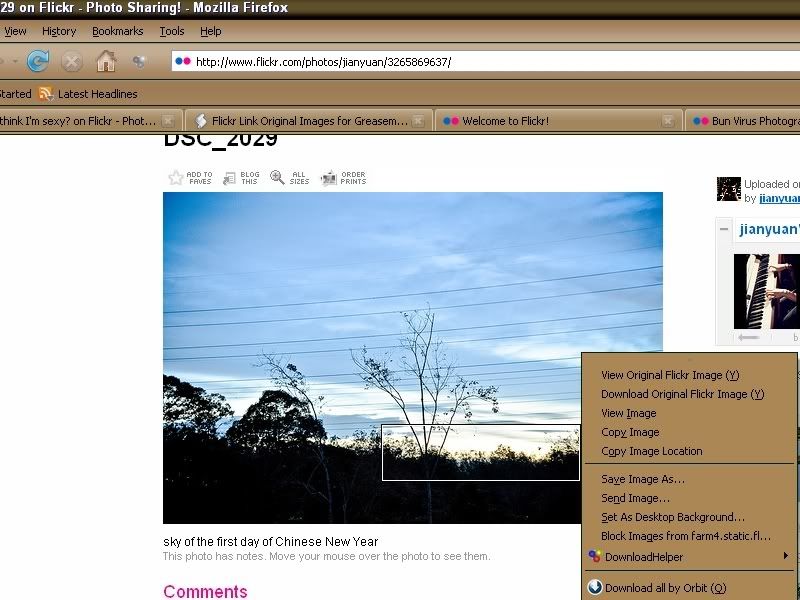
Enter Flickr Original.
Please take note that this add-on is an experimental mode. It basically provides the means to download Flickr images by right-clicking on a thumbnail. If you visit Flickr you notice that thumbnails are located on the first page that you visit if you perform a search or browse images.
Install the add-on. You need to restart your Firefox browser. Do it and go to the Flick website.
All that you need to do is right-click on any image and select Download Original Flickr Image option in the context menu. A download dialog will appeared so you can choose the download location.
Another function for this add-on is to view the full sized image immediately on Flickr. Anyhow, the add-on is not working on all Flickr images. Images with disabled downloads and the flag ”all rights reserved” cannot be download this way. A error message will appear telling the user that the image is not available for download.
January 31, 2009
How To Map Hack in DotA
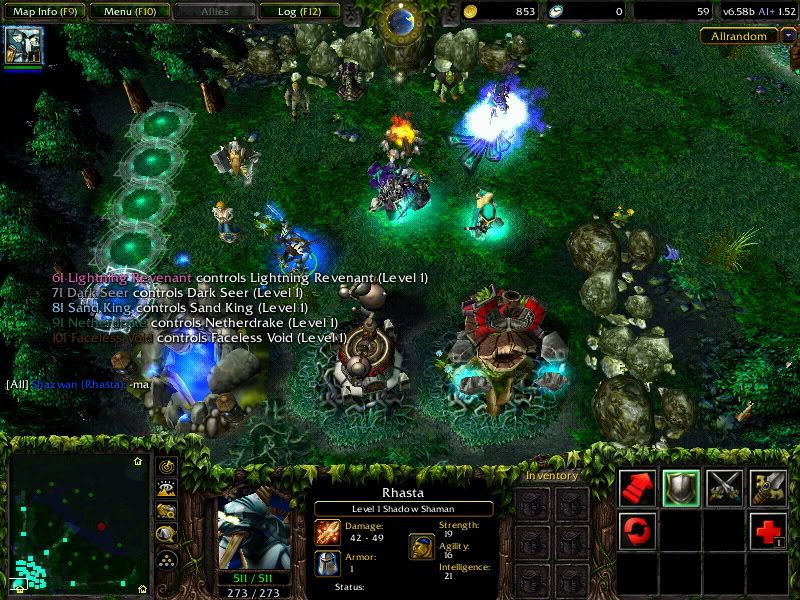
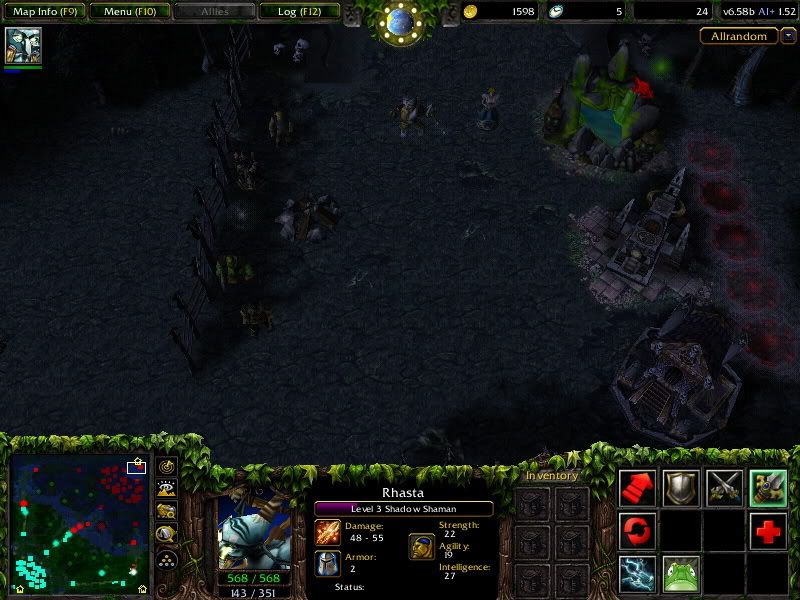
This was taken before maphack turned on.
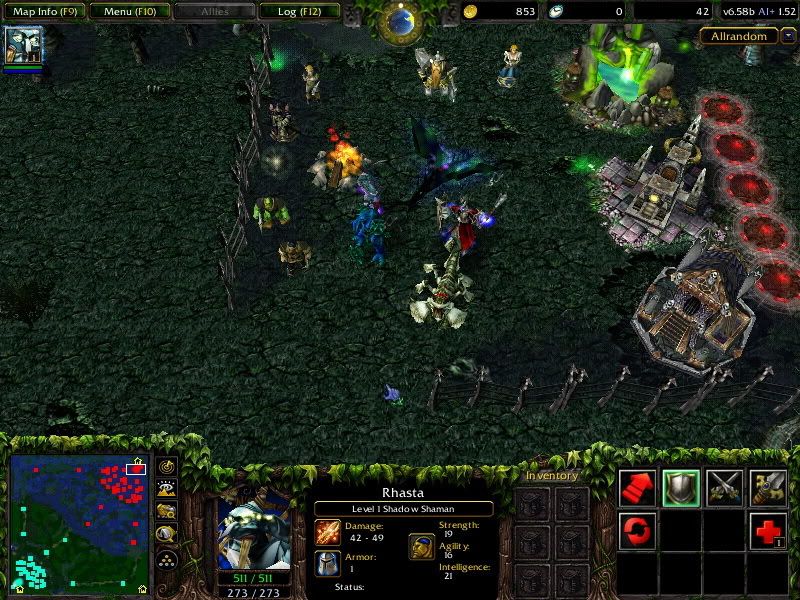
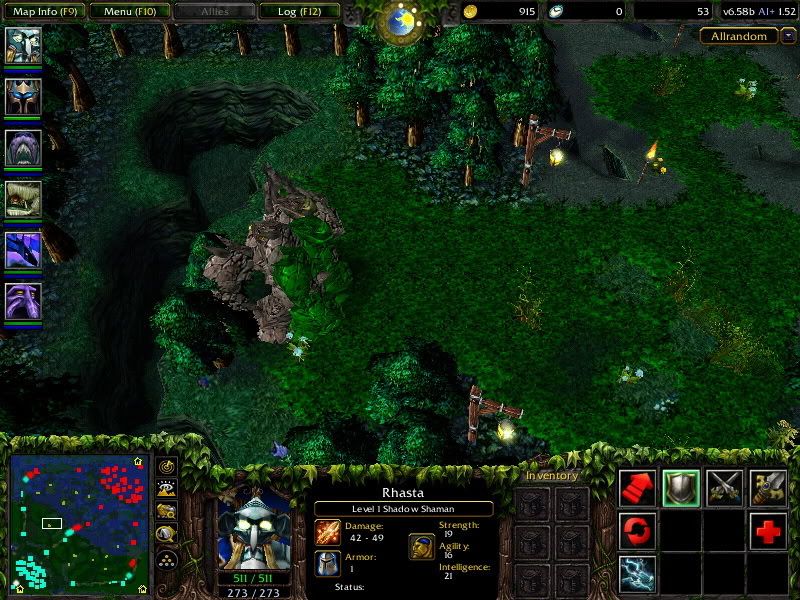
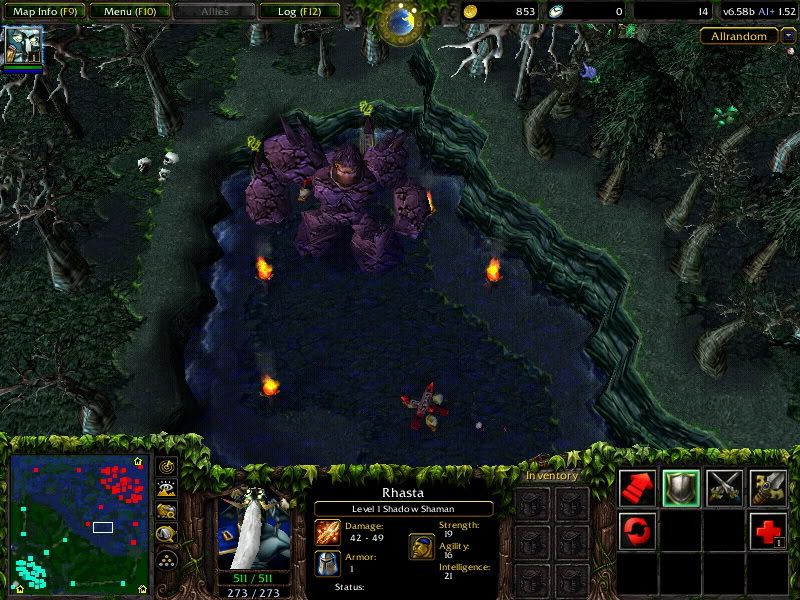
These taken after I turned on the maphack.
First step is, download this maphack program by ShadowFrench here.
I'm using version 1.21.B5 for this tutorial.
And yes, if you using Kaspersky Antivirus, you need to turn it off before download this program as Kaspersky detected it as a trojan.
Run your Warcraft 3. Check what version of your Warcraft. I'm using version 1.21 in this tutorial.
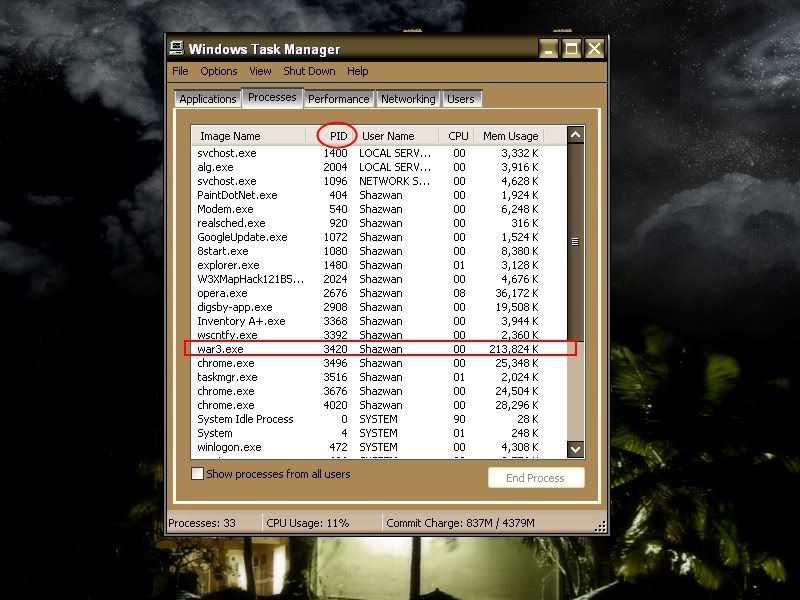
Then, you need to open your task manager and check what PID number your Warcraft using. Do not close your Warcraft as the PID number will change everytime you close and open it.
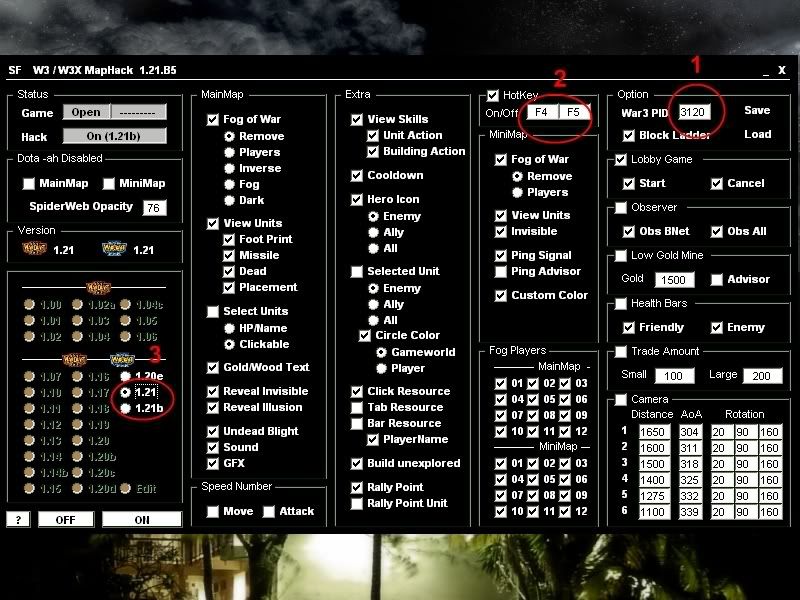
Open your maphack program.
1) Enter your Warcraft's PID number like in the picture above.
2) Choose your hotkey to turn your maphack while playing. (Hotkey in the screenshot is the default one)
3) Choose your Warcraf's version.
DONE!
Join any game and when the game started, press your hotkey to turn on the maphack.
Note: Use it at your own risk!
January 27, 2009
Check if Your Computer Can Run a Specific Game
Puzzled if your computer can run a game smoothly?
Plus with newest generation game that required higher game specification.
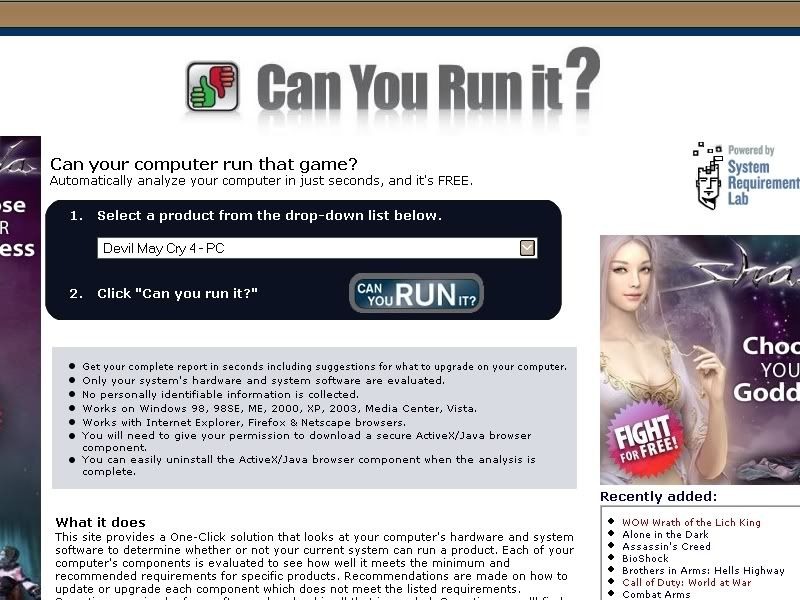
Well, you can check it here.
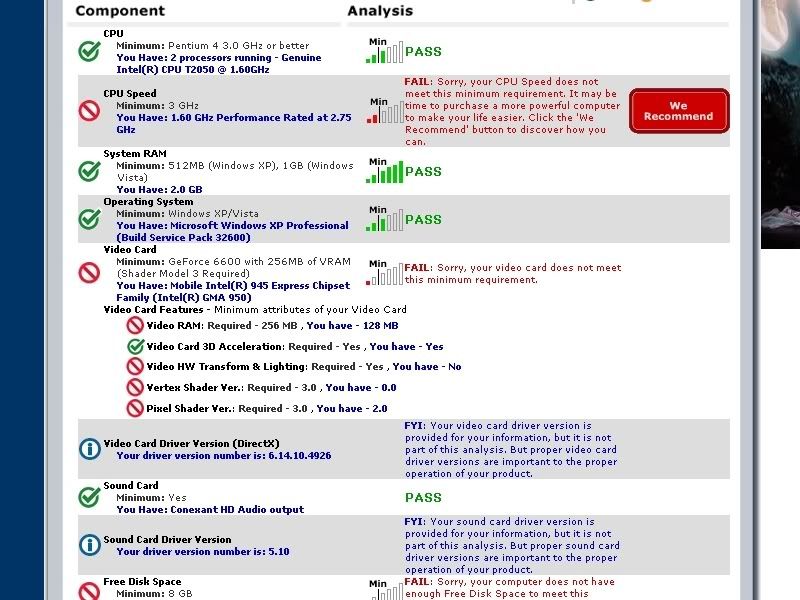
System Requirements Lab is a simple tool designed to help you check your computer’s hardware and detect whether it meets the official minimum and recommended requirements of a PC game. It requires the installation of a quick Java applet (SRLApplet from Husdawg, LLC)
I have made a test with this website (wondering whether my lappy can run newest game or not

^I've choose to run a test with Devil May Cry 4.^

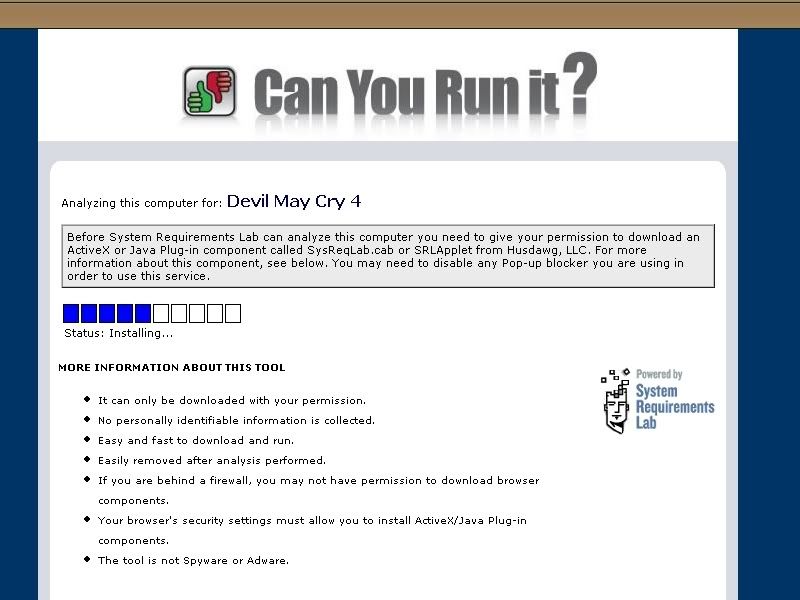
A loading bar will appeared, and it’ll ask you to install the applet. Let the applet install, and your results should appear shortly.
And the result is?

I've failed!

Lucky I'm not so addicted to games. Have a pleasant day everyone!
January 15, 2009
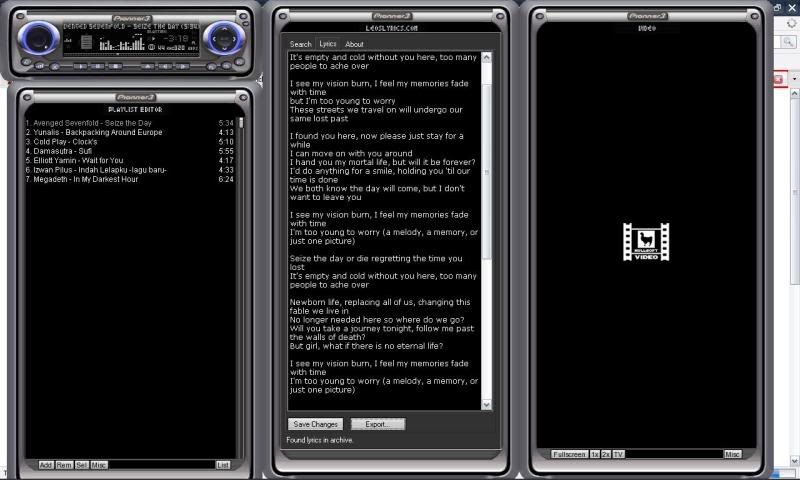
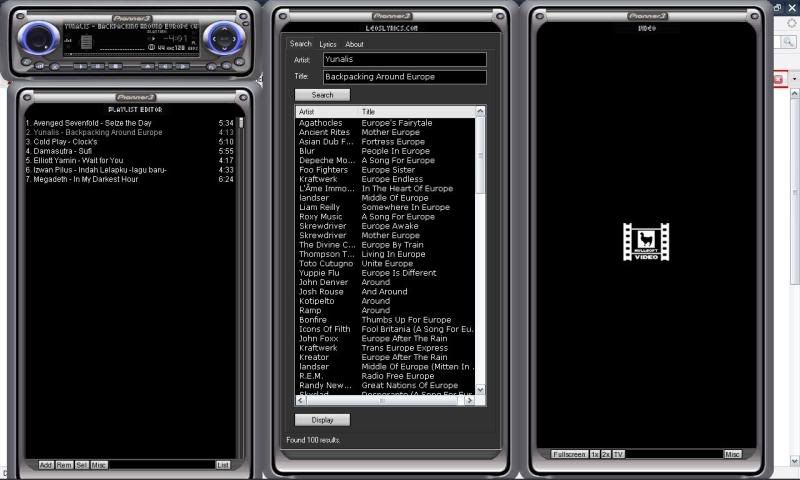
Automatically Display Lyrics In Winamp
And everytime this plugin cannot find the exact match for played song, a list will display and you have to manually choose the lyric from there.
I reckon that this plugin is a must-install plugin for Winamp!
Download : Leolyrics Winamp Plugins
January 11, 2009
How To : Block Ads in Google Chrome
How to block ads in Google Chrome?
1.) Install Privoxy
2) Click on the Wrench icon in Chrome in the upper right corner
3.) Choose options>Under The Hood>Change proxy settings
4.) A windows box pops up, choose LAN settings (at least this is what it's called in Vista)
5.) Check off "Proxy settings" and in the address setting add127.0.0.1 and in the port 8118
6.) If you have the option, you can also check off "Bypass proxy for local settings"
7.) Click "Ok", close chrome and restart it.
January 5, 2009
Download And Play Offline Game
Well, now you can download it with ease!
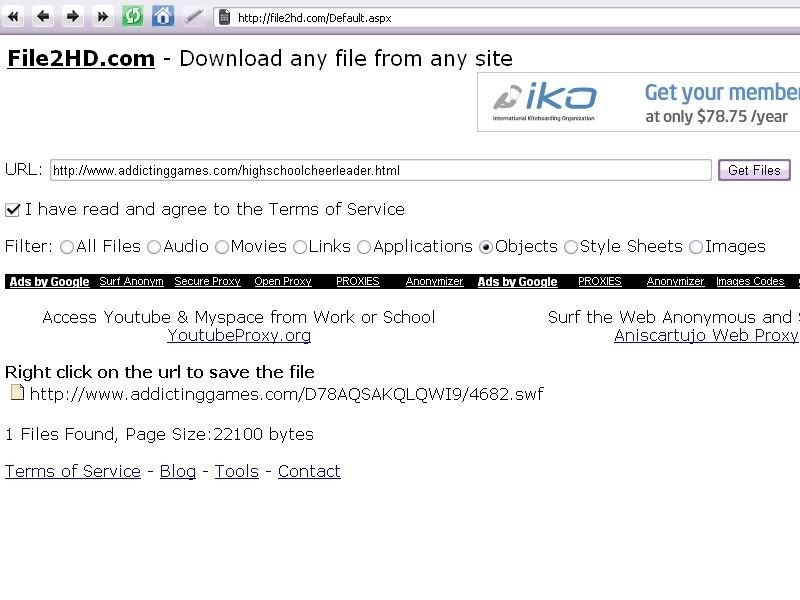
Ok! Let's get start. First, go to this site, File2HD. This site will let you download flash games from most of the flash gaming site.
1. What you need to do is, go to the page with the flash game that you want to download.
2. Copy the page URL and paste it into File2HD.
3. Set ‘Filter’ to ‘Objects’ and click on ‘Get Files’ button.
4. Next, File2HD should retrieve the direct link to the game file.
5. Right click and download that game to your computer.
We're done at the first step. Now we're into the second step.
1. We need this so-called FlashOffliner in order to run those games we have downloaded.
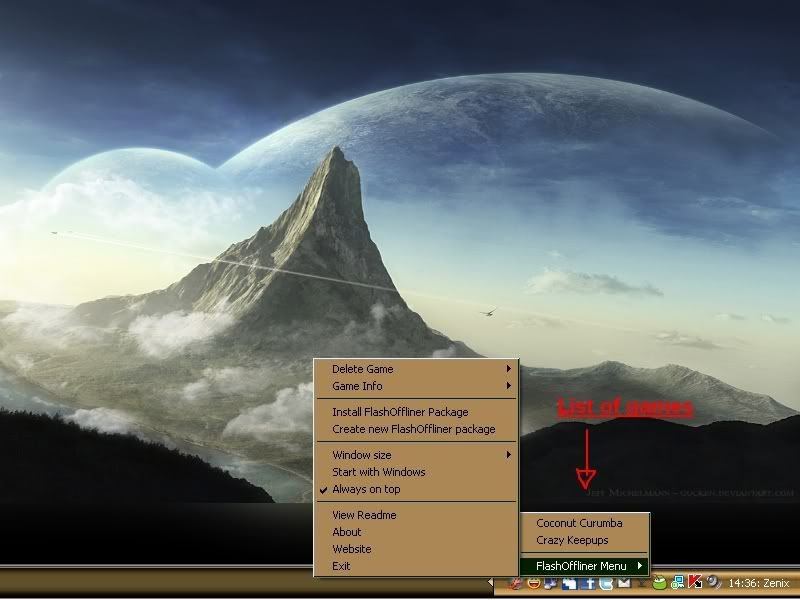
2. Install dan run it. Notice that there's a icon in the taskbar. Right-click it.
>You should see the available games to play and it comes with the installation files that you just downloaded.
3. Now, how to add the games that you downloaded from websites? Right-click the FlashOffliner icon and choose ‘Create New Flash Offliner Package’ and then point it to the downloaded file. Start packing it.
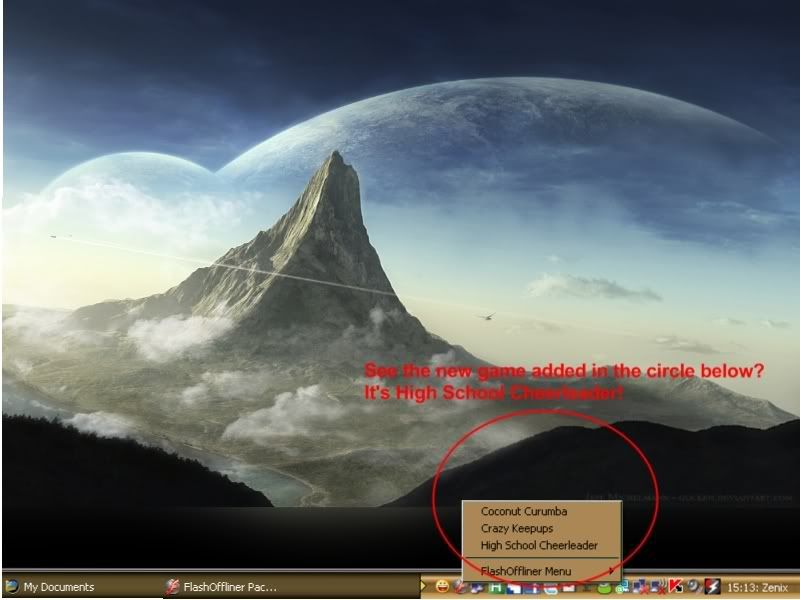
4. Again right click on the FlashOffliner icon and select the ‘Install FlashOffliner Option’. Point it to where you have saved your file in step 3 above. This will install the game and added to your FlashOffliner games.
You can easily resize it to 400×300, 640×480, 1024×768 or Full Screen.
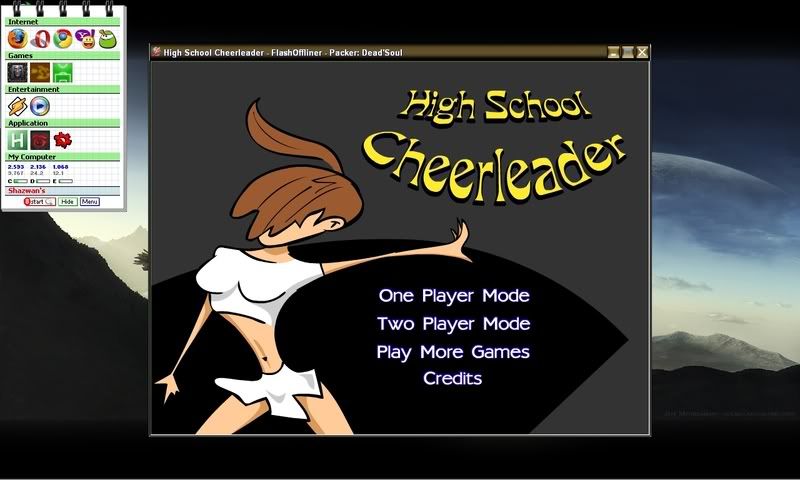
Oh ya, not to forget, I have download the game "High School Cheerleader" here, Addictive Games. It's a huge site for flash games and there's so many games you can choose yourself.
January 2, 2009
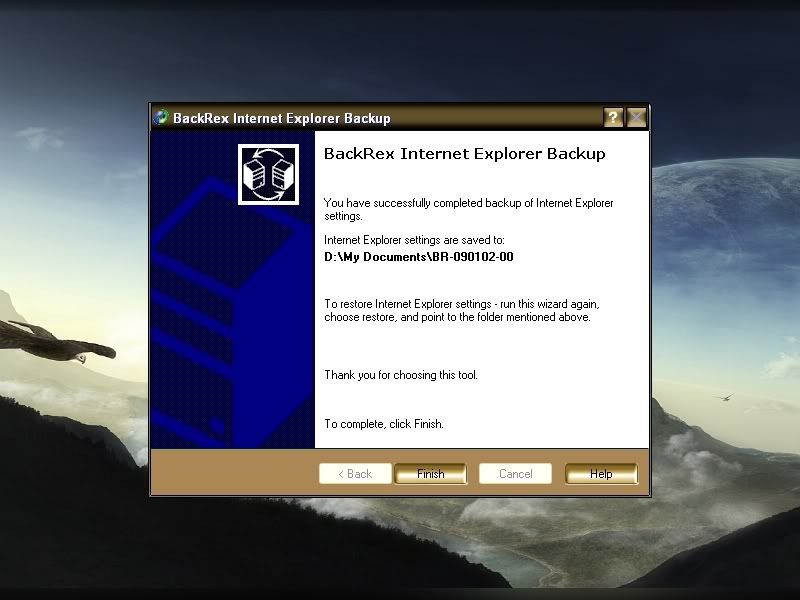
Backup And Restore Internet Explorer Settings
This post also on how to backup, but in different browser. And it's Internet Explorer.
Download this small utility named BackRex Internet Explorer Backup here.
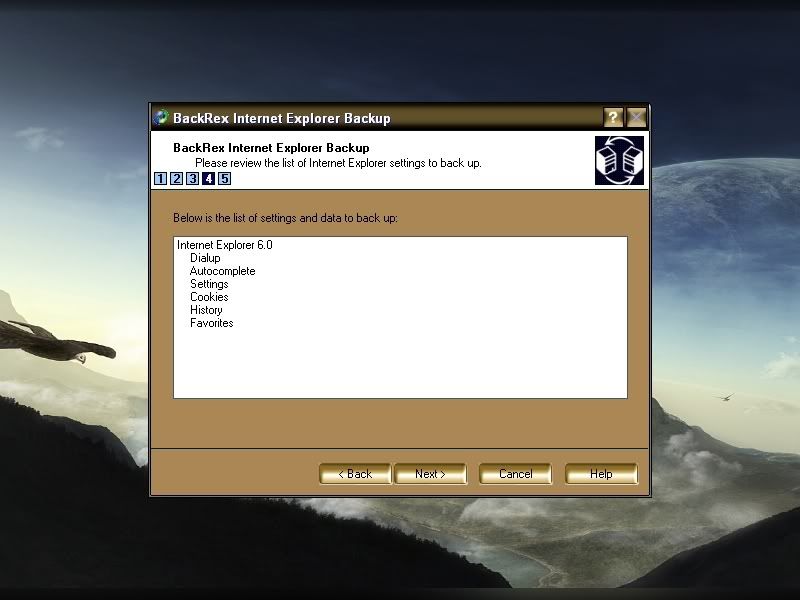
It can backup and restore settings for Internet Explorer. It allows you to backup :
1) Favorites
2) Proxy & connection settings
3) Security zones
4) User customizations
5) Cookies
6) History
7) Dialup accounts
8) Form Autocomplete entries
It's works on Internet Explorer versions 4.0, 5.0x, 5.5, 6.0, and 7.0.
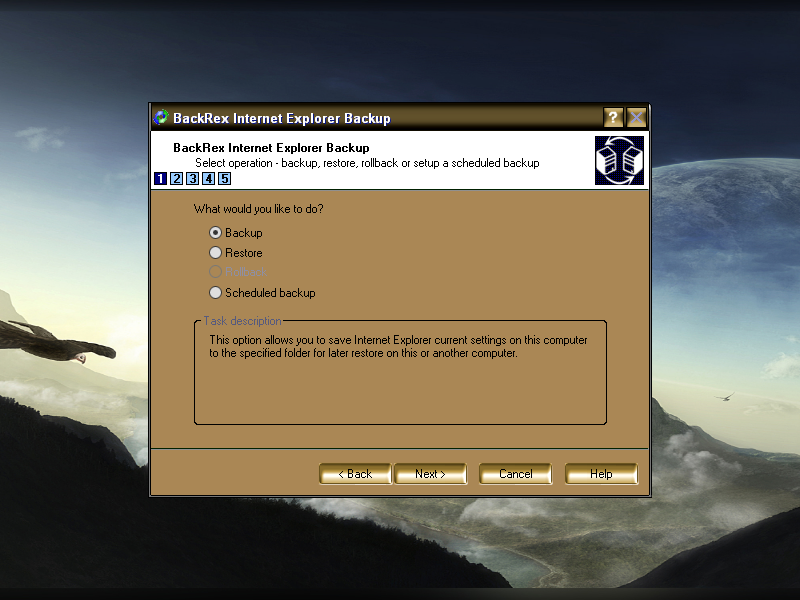
Some screenshot:
And remember to backup it it frequently with the "Schedule Backup" option. Have a nice surfing with Internet Explorer!
December 30, 2008
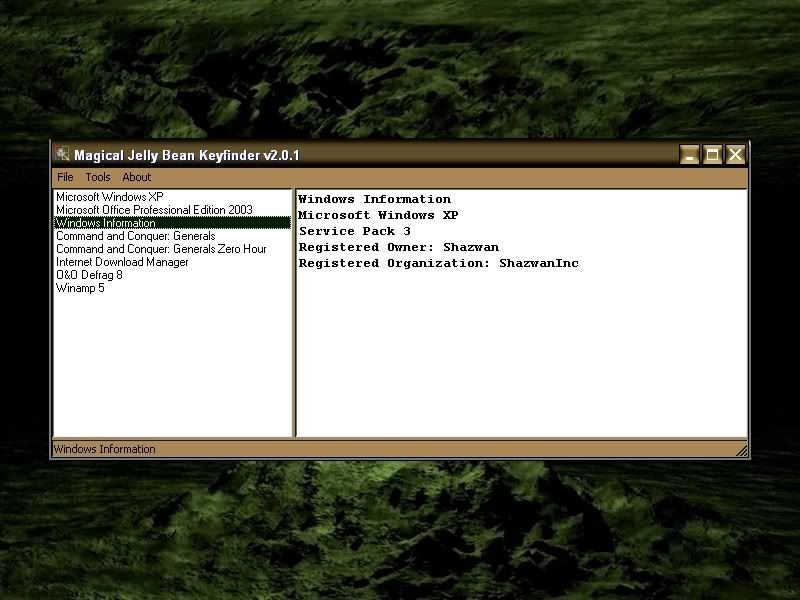
Recover Your Product Keys With Keyfinder
Not anymore!
You can always save and retrieve yor product keys with this KeyFinder.
The Magical Jelly Bean Keyfinder is a freeware open source utility that retrieves your Product Key (cd key) used to install Windows from your registry. It allows you to print or save your keys for safekeeping.
Some of Keyfinder features:
1) The ability to retrieve product keys from unbootable Windows installations.
2) It also has a community-updated configuration file that retrieves product keys for many other applications.
3) Its also support Microsoft Office 2007 and windows Vista!
4) And, the best is, It's FREE!
Download Link : KeyFinder
December 28, 2008
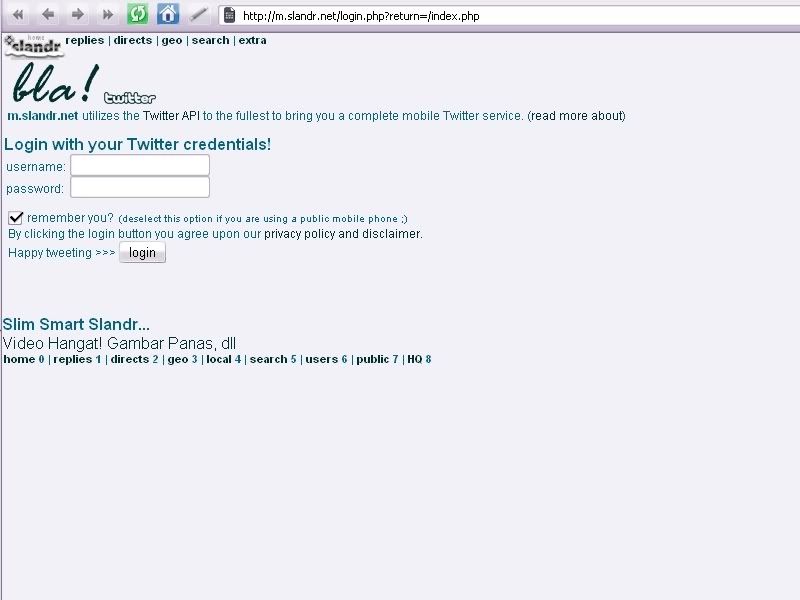
Slandr : Check Your Twitter via Mobile Phone
Some of Slandr features:
1) Read replies and direct messages.
2) Search through all recent Twitter postings (powered by Summize).
3) Edit your location and view the locations of the friends.
You can acces Slandr via your mobile here.
December 26, 2008
How To Add A Simple Search To Your Blog
For me, every blog should have a "Search" feature. This will make your posts reachable and make your reader happy for this feature.
Below are the simple instruction on how to add this feature to your blog.
1. Log into your Blogger.com account.
2. Click the Layout tab from your blog Dashboard.
3. Click Page Elements.
4. Click Add a Gadget above the section you want to put your search box in.
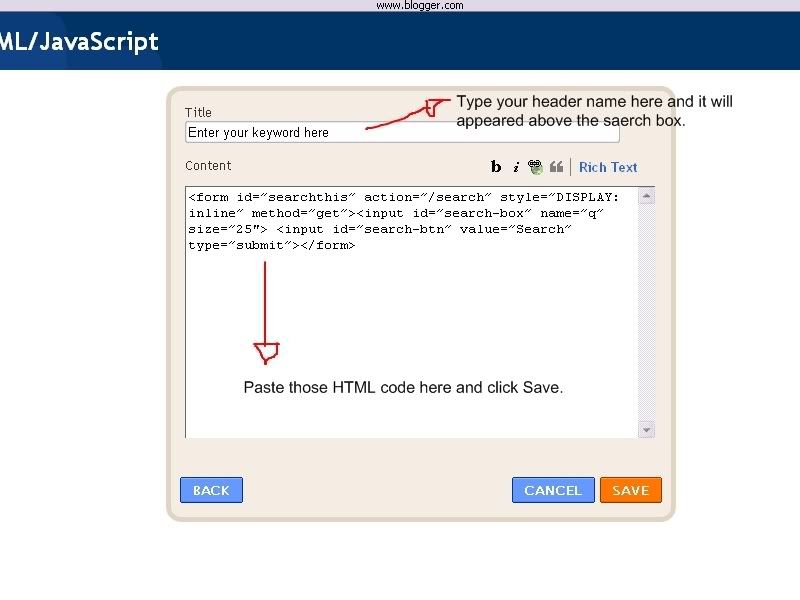
5. Find and click the plus sign next to HTML/Javascript.
6. Type Search this site (or whatever you want) in the Title box or leave it blank.
7. Copy and paste this HTML code in the text area.
__form id=”searchthis” action=”/search” style=”DISPLAY: inline” method=”get”**__input id=”search-box” name=”q” size=”25″** __input id=”search-btn” value=”Search” type=”submit”**__/form**
Note: Replaced all the "__" with "<" and "**" with ">"
7. Click Save.
8. Click Preview.
9. You may have to drag the search gadget into a new area until you get it positioned where you want it to show on the blog.
10. View your blog to see the result.
Now you have a simple way for your reader to search your blog and the results will appear embedded in your blog. So the reader will not need to read every posts of yours to find what they are looking for.
p/s : Just leave a comment if you had any trouble to make this feature. I will try my best to help.
December 25, 2008
Backup Your Firefox Settings With MozBackup
There are a couple of good reasons to backup your web browser settings frequently. If you want to install the browser on another computer, you can use that backup to restore your settings, history, and bookmarks. You can choose which settings you want to backup.Let's say, I want to reformat my computer. That mean all the Firefox settings will be gone also. And at the same time, I do not want to lost all the settings. So, this is the time Mozbackup really useful. This little utility also compatible with: -Firefox 1.0 - 3.0 -Thunderbird 1.0 - 3.0 Alpha 1 -Sunbird 0.3 - 0.8 -Flock 1.0 - 1.1 -SeaMonkey 1.0a - 1.1 -Mozilla Suite 1.7 - 1.7.x -Spicebird 0.4 -Netscape 7.x, 9.x Download this program, and follow the steps. And remember, backup your settings frequently. By the time you need to restore the data, run MozBackup again and choose to restore the profile. Every single data will be restored to your Mozilla Firefox and you can smile again. Remember, prevention is better than cure. Have a nice day!